Google Ads is the fastest way to put your business in front of people who are actively searching for what you offer — right at the moment they want to buy. Done well, it delivers a predictable flow of qualified leads and a measurable return. Done badly, it quietly burns money. This complete guide explains how Google Ads works, how to set up profitable campaigns, and how to avoid the expensive mistakes that catch most businesses out.
What Google Ads Is & How It Works
Google Ads is Google’s advertising platform that lets you show ads to people searching on Google and across its network. The core model is pay-per-click (PPC): you only pay when someone actually clicks your ad. When someone searches, Google runs an instant auction among advertisers bidding on that term, and your position depends not just on your bid but on the quality and relevance of your ad and landing page. This means a well-optimised account can outrank higher bidders while paying less per click.
Why Google Ads Works So Well
The magic of Google Ads is intent. Unlike social ads that interrupt people, search ads reach customers at the exact moment they’re looking for a solution — “emergency plumber Chennai” or “buy office chairs online.” That high intent means higher conversion rates and immediate results, making Google Ads ideal for generating leads fast, launching offers, and complementing slower-building SEO. And because everything is tracked, you can see exactly what each rupee produces. To understand when to use it versus other channels, see our comparisons of organic SEO vs paid ads and Google Ads vs Meta Ads.
Types of Google Ads Campaigns
Google Ads offers several campaign types for different goals. Search campaigns show text ads to people searching — the highest-intent and usually the best starting point. Performance Max and Display campaigns show visual ads across Google’s network to build awareness and remarket. Shopping campaigns show product listings with images and prices, essential for e-commerce. Video campaigns run on YouTube. For most local and service businesses, well-run Search campaigns deliver the fastest, most reliable leads, with others added as the strategy matures.
Keywords & Match Types
Keywords are the searches that trigger your ads, and choosing them well is central to success. Just as important are match types, which control how closely a search must match your keyword: broad match reaches the widest audience but least precisely, phrase match is more controlled, and exact match is the most targeted. Equally vital are negative keywords — terms you exclude so you don’t pay for irrelevant clicks (for example, adding “free” or “jobs” as negatives). Getting keywords and negatives right is the difference between a profitable account and wasted spend.
Quality Score & Ad Rank
Google rewards relevance. Quality Score is Google’s rating of how relevant and useful your keywords, ads and landing pages are. A higher Quality Score means better ad positions at lower cost per click — so improving relevance literally saves you money. Ad Rank, which determines your position, combines your bid with Quality Score and other factors. This is why simply bidding more isn’t the answer; tightly themed keywords, closely matching ad copy, and relevant, fast landing pages lower your costs and lift your results.
Structuring Your Account
A well-structured account is easier to manage and performs better. The basic hierarchy is campaigns (organised by goal, budget or location) containing ad groups (tightly themed clusters of related keywords) containing ads and keywords. The golden rule is tight themes: each ad group should focus on one closely related set of keywords so the ad copy can match the search precisely. Sprawling, unfocused ad groups produce irrelevant ads, low Quality Scores and wasted spend. Good structure is unglamorous but foundational.
Writing Ads That Get Clicks
Your ad has seconds to earn a click against competitors. Effective ad copy includes the keyword the person searched (which also aids relevance), leads with a clear benefit or offer, addresses the searcher’s intent, and ends with a strong call to action. Ad extensions — sitelinks, callouts, call buttons, location and structured snippets — make your ad bigger and more useful, improving click-through rates at no extra cost. Testing multiple ad variations and keeping the winners is how you steadily improve performance.
Landing Pages That Convert
Winning the click is only half the battle; the landing page decides whether that click becomes a lead. A great landing page matches the ad’s promise, loads fast, works perfectly on mobile, has a single clear goal, and makes contacting you effortless with prominent call and WhatsApp buttons. Sending ad traffic to a generic homepage is one of the most common and costly mistakes — a focused landing page dramatically lifts conversions. Our landing page design service is built for exactly this, and our landing page vs full website comparison explains when to use one.
Conversion Tracking
Without conversion tracking, you’re flying blind — spending money with no idea what it produces. Conversion tracking records the actions that matter (form submissions, calls, purchases, WhatsApp clicks) and ties them back to the keywords and ads that drove them. This is the single most important setup step, because it lets you see which parts of your account make money and which waste it, and optimise accordingly. Setting up accurate tracking before scaling spend is non-negotiable for profitable advertising.
Budgets & Bidding
Google Ads works at almost any budget, but a small budget must be focused to succeed. Concentrate spend on your highest-intent keywords and best-converting locations rather than spreading it thin. On bidding, Google offers automated strategies (like maximise conversions or target cost-per-action) that work well once you have conversion data, and manual control for tighter management early on. Start controlled, gather data, then let performance guide where you invest more. The aim is a sustainable cost per lead that’s profitable for your business.
Optimising & Scaling Campaigns
Google Ads is never “set and forget.” Ongoing optimisation is what separates profitable accounts from money pits: reviewing search terms and adding negatives, pausing underperforming keywords and ads, improving Quality Scores, testing new ad copy and landing pages, and reallocating budget to what converts. Once a campaign is reliably profitable, you scale carefully — increasing budget, expanding keywords and adding campaign types — while watching that cost per lead stays healthy. Consistent, data-driven optimisation compounds results over time.
Costly Mistakes to Avoid
- No conversion tracking. You can’t optimise what you can’t measure.
- No negative keywords. You pay for irrelevant clicks that never convert.
- Sending traffic to the homepage. Focused landing pages convert far better.
- Broad match with no control. Reaches the wrong searches and drains budget.
- Set-and-forget. Unmanaged campaigns waste money over time.
- Ignoring mobile. Most clicks are on phones; the experience must be flawless.
Google Ads vs SEO: Using Both
Google Ads and SEO are often framed as competitors, but the smartest businesses use them together. Ads deliver leads immediately while SEO builds free traffic over months; running both means you get quick wins now and a growing free channel for later. Ads also feed SEO indirectly — the keyword and conversion data from your campaigns reveals exactly which terms drive business, which you can then target organically. As your SEO strengthens, you can often reduce ad spend on terms you now rank for and redirect budget to new opportunities. Our comparison of organic SEO vs paid ads explains the trade-offs, and our complete SEO guide covers the organic side.
Shopping & E-Commerce Ads
For online stores, Google Shopping ads are often the highest-return campaign type. Rather than text, they show your product with an image, price and store name directly in search results — so shoppers see exactly what they’d get before clicking, producing highly qualified traffic. Shopping campaigns are powered by a product feed, so getting your product data (titles, images, prices, availability) accurate and optimised is central to success. Combined with well-structured search campaigns and remarketing, Shopping ads can drive a large share of an e-commerce store’s paid sales. Our e-commerce guide covers the store side that makes these ads convert.
Local & Call-Only Campaigns
For local and service businesses, Google offers ad formats built around local intent. Location targeting focuses your budget on the areas you serve. Call-only and call-focused campaigns encourage people to phone you directly — ideal for services where a conversation closes the sale, like clinics, repairs and consultations. Local Services Ads (where available) put you at the very top with a “Google Guaranteed” badge. These formats capture high-intent local customers at the exact moment they want to act, and pair naturally with the strong local presence covered in our local SEO guide.
Remarketing on Google
Most people who click an ad don’t convert on the first visit. Remarketing shows follow-up ads across Google’s Display network and YouTube to people who’ve already visited your site, bringing them back when they’re ready. Because these audiences already know you, remarketing typically converts at a much lower cost than reaching new people. It’s especially valuable for considered purchases where customers compare options over days or weeks. Setting up remarketing lists and gentle, well-designed follow-up ads is one of the most cost-effective ways to lift overall campaign performance once you have steady traffic.
Ad Extensions in Detail
Ad extensions (now called assets) expand your ad with extra information and links, making it larger, more useful and more clickable — at no additional cost. The key ones are sitelinks (extra links to specific pages), callouts (short highlights like “Free Quote” or “24/7 Support”), call extensions (a tap-to-call button), location extensions (your address and map), and structured snippets (lists of services or products). Using a full set of relevant extensions improves both your click-through rate and your Ad Rank, helping you win better positions for less. Skipping extensions leaves easy performance on the table.
Audiences & Targeting
Beyond keywords, Google lets you refine who sees your ads using audiences — layering signals like demographics, interests, in-market segments (people actively shopping for your category) and your own remarketing lists. Targeting the right audience alongside the right keywords sharpens your spend toward the people most likely to convert. You can also adjust bids by device, location, time of day and audience based on what performs. Thoughtful targeting means less wasted budget on clicks that were never going to become customers, and more spend concentrated where it produces leads.
Reading Your Reports
Google Ads gives you rich data, but a few reports matter most. The search terms report shows the actual queries that triggered your ads — essential for finding new keywords and, crucially, negative keywords to add. Conversion reports show which campaigns, ad groups and keywords actually produce leads or sales, not just clicks. Auction insights show how you compare with competitors. Reviewing these regularly — and acting on them — is the day-to-day work that keeps an account profitable. Numbers like clicks and impressions are only useful insofar as they lead to conversions at a sustainable cost.
Google Ads Myths
A few persistent myths cost businesses money. “Clicking your own ads or competitors’ ads helps” — it doesn’t, and Google filters invalid clicks. “You need a huge budget” — a focused small budget on high-intent keywords can be very profitable. “Just bid the most to win” — relevance and Quality Score let you outrank higher bidders for less. “Set it up once and leave it” — ongoing optimisation is what makes campaigns profitable. Understanding how the auction really works — rewarding relevance, not just spend — is the key to getting more for your money.
Should You Hire a Manager?
Google Ads is deceptively easy to start and surprisingly easy to waste money on. The platform actively encourages settings that spend more, and without experience it’s common to pay for irrelevant clicks, send traffic to weak pages, and miss the optimisations that make campaigns profitable. A skilled manager earns their fee by improving your cost per lead — through proper structure, tracking, negatives, testing and ongoing optimisation — often saving more than they cost. If you’d rather focus on your business than learn the platform’s intricacies, our Google Ads management handles it end to end.
Performance Max Explained
Performance Max is Google’s automated campaign type that shows your ads across all of Google’s inventory — Search, Display, YouTube, Gmail, Maps and Discover — from a single campaign, using machine learning to find conversions wherever they are. Its strength is reach and automation: you provide assets (text, images, videos) and conversion goals, and Google optimises placement and bidding automatically. This can work very well once you have solid conversion tracking and enough data for the algorithm to learn from. The trade-off is less manual control and less visibility into exactly where spend goes, which is why it’s usually best introduced alongside well-structured Search campaigns rather than as a beginner’s only campaign. Feeding it strong assets, accurate conversion data and clear audience signals is what makes Performance Max profitable rather than a black box. For e-commerce especially, it can drive significant sales when set up carefully.
The Display Network
The Google Display Network shows visual banner ads across millions of websites, apps and YouTube, reaching people as they browse rather than as they search. Because these audiences aren’t actively searching for you, Display works best for building awareness and, above all, for remarketing — showing follow-up ads to people who’ve already visited your site. Used for cold awareness with loose targeting, Display can burn budget with little return; used for remarketing and carefully targeted audiences, it’s cost-effective and powerful. Strong visual creative matters more here than in Search, since you’re competing for attention rather than answering intent. For most businesses, the smartest use of Display is to stay in front of warm audiences who already know you, gently guiding them back toward a decision, rather than trying to generate demand from scratch.
YouTube Video Ads
YouTube is both the world’s second-largest search engine and a massive entertainment platform, and its video ads let you reach enormous, precisely-targeted audiences relatively affordably. Video ads suit awareness, storytelling and demonstration — showing rather than telling — and can be highly effective for businesses with something visual to communicate. Skippable ads mean you often pay only for genuinely engaged viewers. As with all Google ads, targeting and a clear goal matter: a video ad should speak to a specific audience with a clear message and call to action. YouTube also pairs well with remarketing, letting you retarget site visitors with video. For businesses willing to invest in even simple, authentic video, YouTube offers reach and engagement that text ads can’t match, and it doubles as content you can use across other channels.
Bidding Strategies in Depth
Google offers manual and automated bidding, and choosing well affects both cost and results. Early on, or with limited data, manual or enhanced bidding gives you tighter control while you learn what converts. Once you have reliable conversion tracking and enough conversion history, automated strategies — maximise conversions, target cost-per-action (CPA), or target return on ad spend (ROAS) — let Google’s algorithm optimise bids in real time far faster than any human could. The key is that automated bidding is only as good as the conversion data it learns from; feed it accurate conversions and it performs well, feed it poor or no data and it wastes money. A common path is to start with more control, gather clean conversion data, then move to a goal-based automated strategy and let it optimise toward your target cost per lead or return.
Geographic Targeting for Chennai
For a Chennai business, geographic targeting is one of the most powerful ways to make a budget efficient. You can focus spend on the specific areas you serve, exclude areas you don’t, and even adjust bids to spend more in your highest-value neighbourhoods. A local service business can target just the parts of Chennai it covers rather than paying for clicks from across India. You can also target by radius around your location, or by specific areas like OMR, Anna Nagar or T Nagar. Reviewing location performance regularly reveals where your best customers come from, letting you concentrate budget there. Precise geographic targeting means every rupee works within your actual market, which is especially important on smaller budgets where wasted spend on irrelevant locations is simply lost.
Ad Scheduling & Devices
When and on what device your ads show can meaningfully affect results, and Google lets you control both. Ad scheduling (dayparting) lets you show ads during the hours your business can respond and your customers are active — there’s little point paying for calls when no one’s there to answer. If your data shows certain days or times convert better, you can bid more then and less otherwise. Device adjustments matter too: most clicks come from mobile, so the mobile experience must be flawless, and you can adjust bids by device based on which converts best for you. These refinements come after you have performance data to guide them, but over time they trim waste and concentrate spend where and when it produces the best return, steadily improving your cost per lead.
Seasonal & Promotional Campaigns
Google Ads is ideal for capitalising on seasonal demand and promotions because you can turn it up and down instantly. During high-intent periods — festivals, sales seasons, or your own promotions — increasing budget and running tailored ads captures surging demand that’s already there. Because you control spend in real time, you can scale up for a promotion and scale back afterward, unlike slower channels. Preparing seasonal campaigns in advance — with relevant keywords, ad copy, offers and matching landing pages ready — means you launch smoothly when demand peaks rather than scrambling. For Indian businesses, aligning ad pushes with the festival calendar and your own sales events is one of the most reliable ways to drive revenue, since you’re meeting elevated buying intent at exactly the right moment.
Diagnosing Underperforming Campaigns
When a campaign isn’t delivering, the cause is usually one of a handful of common issues, and diagnosing systematically beats guessing. Check first whether conversion tracking is working — poor results are often just unmeasured ones. Review the search terms report for irrelevant queries draining budget, and add negatives. Look at whether your landing page matches the ad and converts well, since a great ad to a weak page fails. Examine Quality Scores for relevance problems, keyword match types for reach that’s too broad, and whether your bids and budget are realistic for your keywords’ competition. Most underperformance traces back to tracking, targeting, or the landing page rather than the ads themselves. Working through these methodically almost always reveals the fixable cause, which is exactly the kind of ongoing diagnosis that separates profitable accounts from money pits.
Local Services Ads Explained
Local Services Ads (LSAs) are a distinct ad format for eligible local service businesses, appearing right at the very top of results with a “Google Guaranteed” or “Google Screened” badge. Unlike standard pay-per-click ads, LSAs typically work on a pay-per-lead basis — you pay for actual enquiries rather than clicks — and require a verification process that builds trust with customers. For the service categories where they’re available, LSAs can be highly effective because of their prominent position and the credibility the badge conveys. They pair naturally with strong local SEO and a well-optimised Google Business Profile. Where your business qualifies, LSAs are worth considering as part of your local advertising mix, since appearing above even the regular ads at the moment of high local intent captures attention and trust simultaneously.
Auction Insights & Competitors
Google’s Auction Insights report shows how your ads compare with competitors bidding on the same terms — your relative impression share, how often you appear above them, and how you stack up. This is valuable intelligence: it reveals who you’re really competing against, whether competitors are gaining or losing ground, and where you have room to grow your share of the available traffic. Rather than obsessing over outbidding everyone, the insight guides smarter decisions — where improving Quality Score could win more impressions affordably, or where a competitor’s aggression makes a term less worthwhile. Understanding the competitive landscape helps you allocate budget where you can win profitably rather than entering costly bidding wars on terms where you’ll never lead. Reviewing this periodically keeps your strategy grounded in the real auction dynamics of your market.
Launching Your First Campaign
For a business new to Google Ads, a focused first campaign beats an ambitious complex one. Start with a Search campaign targeting a tight set of your highest-intent keywords — the terms most likely to bring ready-to-act customers. Set up conversion tracking before you spend anything, so you measure results from the first click. Write tightly-themed ad groups with ads that match the keywords, add negative keywords to block irrelevant searches, point clicks to a focused, fast landing page rather than your homepage, and target only the areas you serve. Begin with a controlled budget you’re comfortable testing with, then watch the data for a couple of weeks before optimising and scaling. This disciplined start gives you clean data and a profitable foundation, avoiding the common early mistakes that make businesses conclude “Google Ads doesn’t work” when really the setup was the problem.
Explore the full Google Ads cluster
→ Google Ads Service → Google Ads Launch Checklist → Google Ads vs Meta Ads → Landing Page Design → Digital Marketing Guide → All Complete GuidesFrequently Asked Questions
Real Projects. Real Results.
A selection of websites we have designed and built for businesses across Tamil Nadu.

Wood Crops
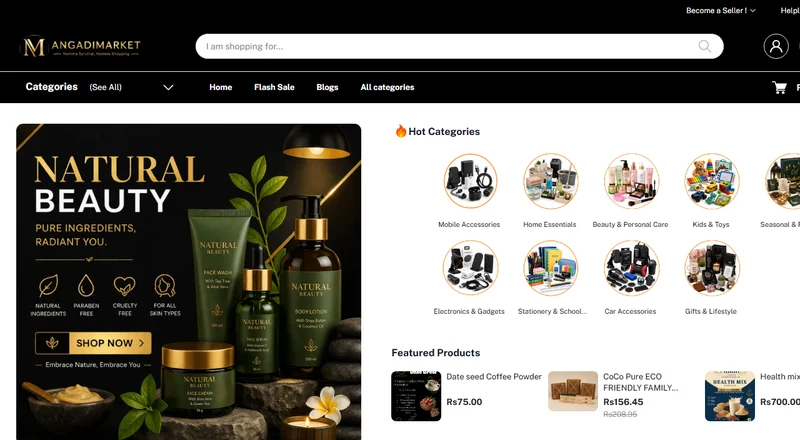
Angadi Market

Sri Rakhi Interiors

MSJ Jewellers

Grow Value Properties

Infibee
What Our Clients Say
Real stories from business owners who partnered with us for growth.
"AS Enterprises rebuilt our interior design studio website in under 2 weeks. Our enquiries and customer calls doubled within a month of launching. Their local SEO optimization works wonders!"
"Working with AS Enterprises for our fashion store was the best business decision. They developed a fast Shopify store and set up our Meta Ads. Our online sales tripled in 60 days!"
"From brand consulting to launching our digital presence, they were professional, prompt, and result-oriented. Direct developer communication saved us weeks of email exchanges."
Official Partners
Platforms and payment gateways we build with and integrate for our clients.
 G
Google Partner
G
Google Partner
 CC
CCAvenue
CC
CCAvenue
 S
Shiprocket
S
Shiprocket
 🛒
Shopify Partners
🛒
Shopify Partners
 R
Rediff
R
Rediff
 Z
Zoho
Z
Zoho
 ₹
Razorpay
₹
Razorpay
 P
PayU
P
PayU
 💬
tawk.to
💬
tawk.to
Ready to Get Leads From Google Ads?
AS Enterprises helps Chennai businesses turn strategy into results. Get a free, no-obligation consultation.